
Use this option to replace a PDF file throughout the Parish website.
Comite members can use this option to replace PDF files accross all Parishes websites.
- Login to the Parish website.
- Select Media from the menu on the left.
- Find the PDF that you want to replace and click on it.
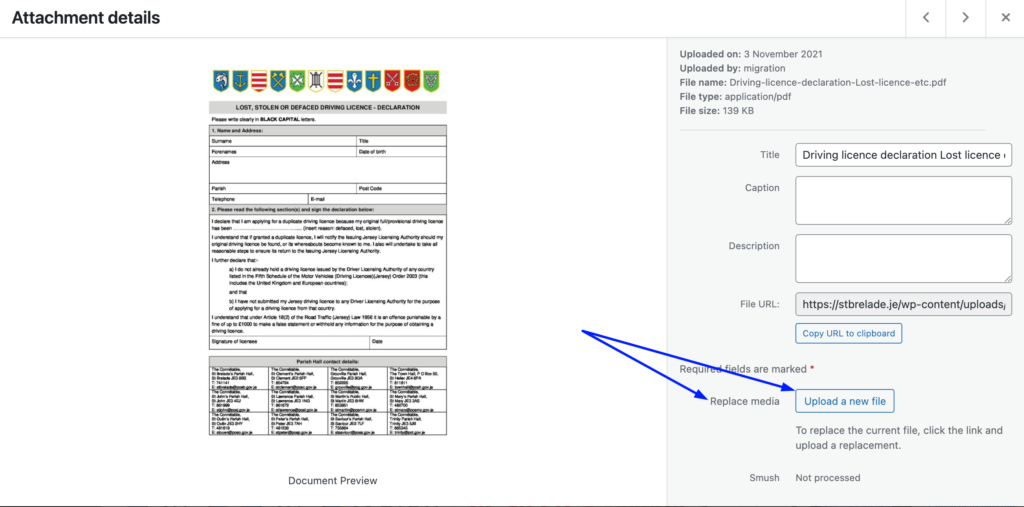
- On the window that opens, click on “Upload a new file” as shown on the screenshot below.
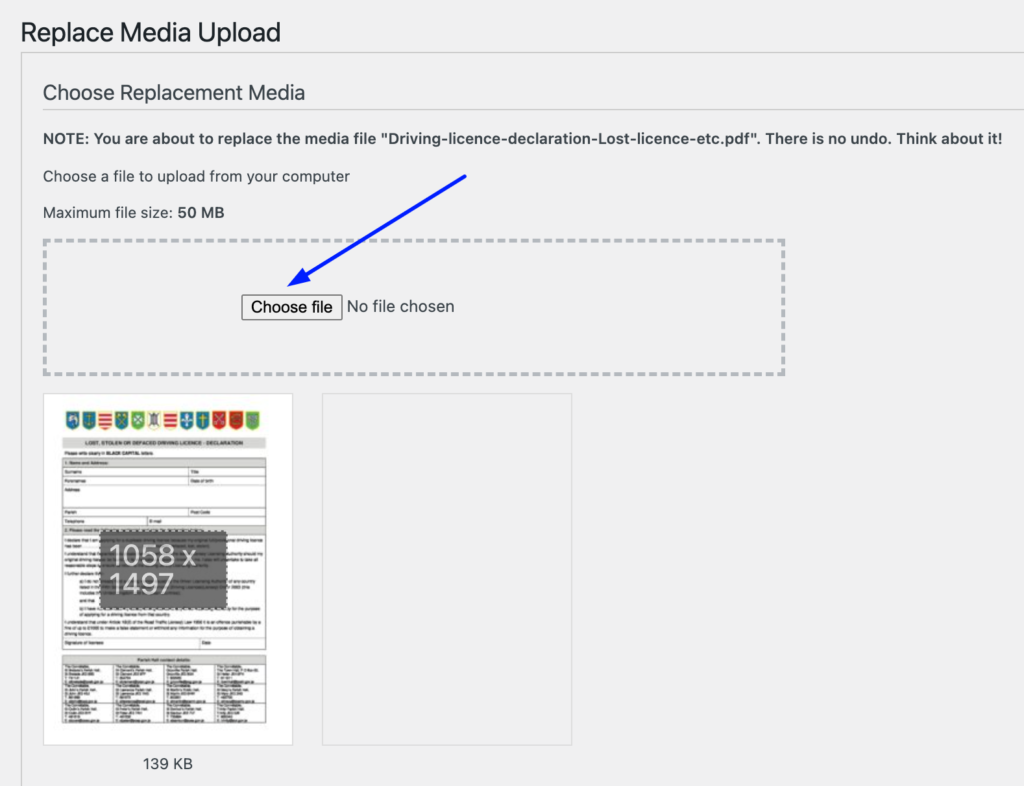
5. Choose Replacement Media by clicking on Choose File.
- Replacement Options: keep the default “Just replace the file” option, otherwise direct links to the previous file won’t work.
- Date Options – when replacing the media, you can choose to keep the date or replace with the current one or set a custom date.
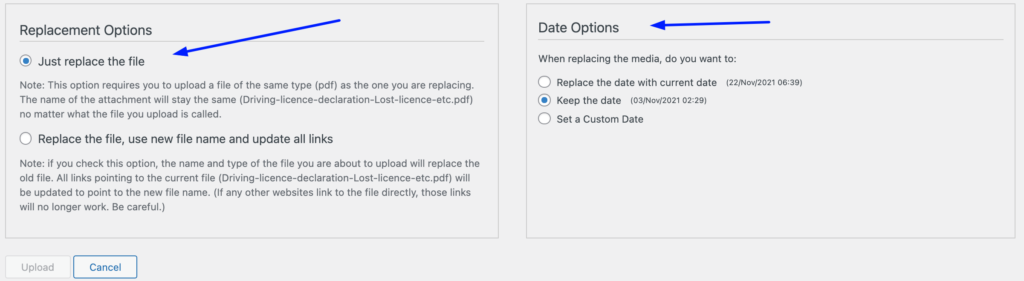
6. Click on Upload to save the replacing file.