This action can only be made by members of the Comite or Blue Llama.
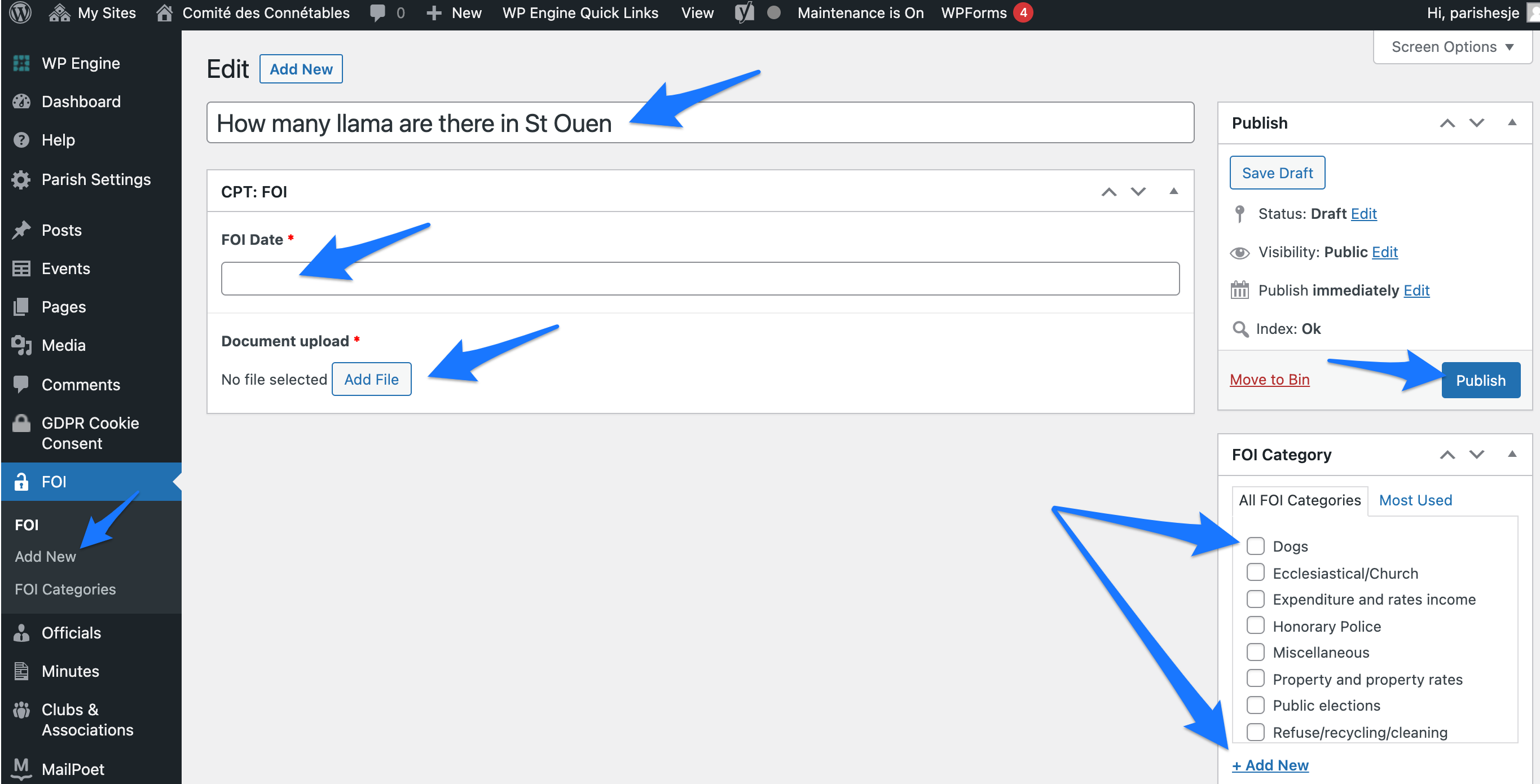
- Login to Comite website and navigate to FOI section on the left hand side menu.
- Click on Add New.
- Add a FOI Request title.
- Select FOI Request date.
- Upload the document related to this FOI Request.
- Select FOI Request category.
- Click the Publish button.
- If you are making changes, click on Update to save them.