
This action can only be made by members of the Comite, Blue Llama or selected parishes who have been granted access. Please be careful making this change.
Follow the steps below to change a PDF link, name or add a new PDF link to a page to the navigation menu.
- Login to the website and from the Dashboard navigate to Appearance > Menus.
- Select Top Menu and click Select to confirm selection.
- To add a new PDF to the menu, under Add menu items select Custom Links, add PDF URL and document name as you wish to appear. Click on Add to menu.
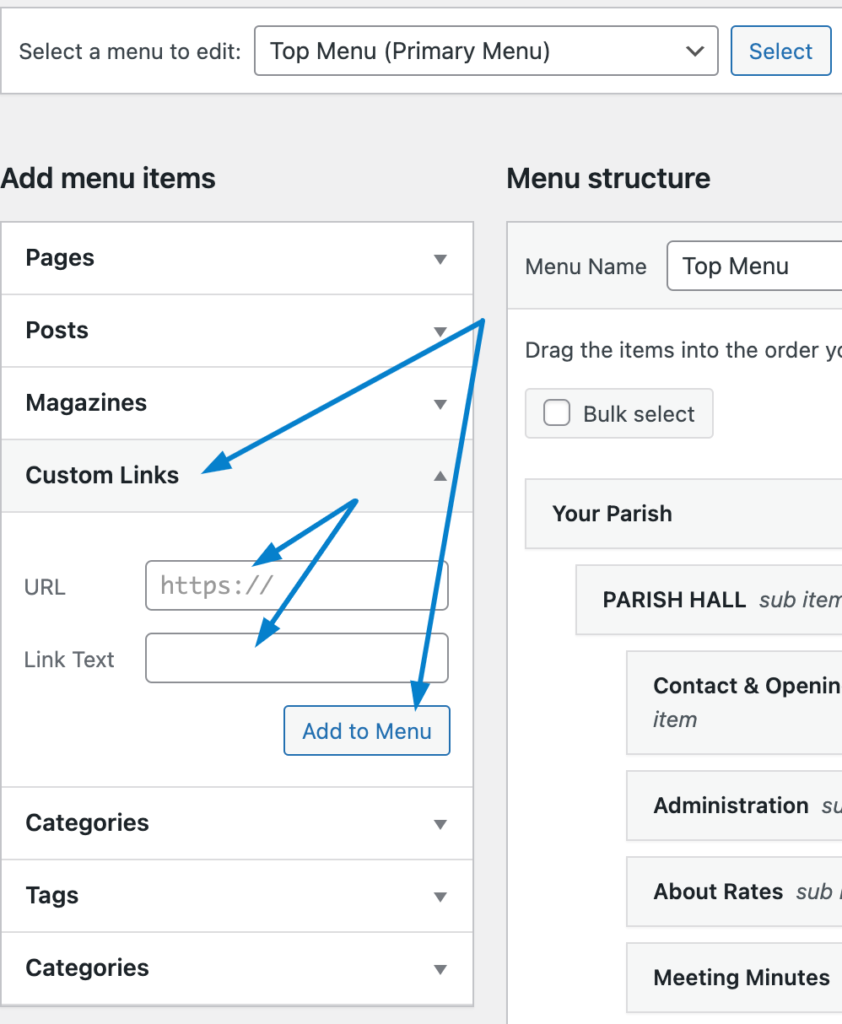
4. The new menu items will append to the bottom of the current list of menu items. You can drag and drop to re-arrange them.

5. Click on Save Menu to save the changes.
6. To change a PDF link with a new one, or update the name of a PDF, find the custom link on the menu and click on it to expand it. Replace the URL and rename the name in the Navigation Label if needed. Click on Save Menu to save the changes.
