
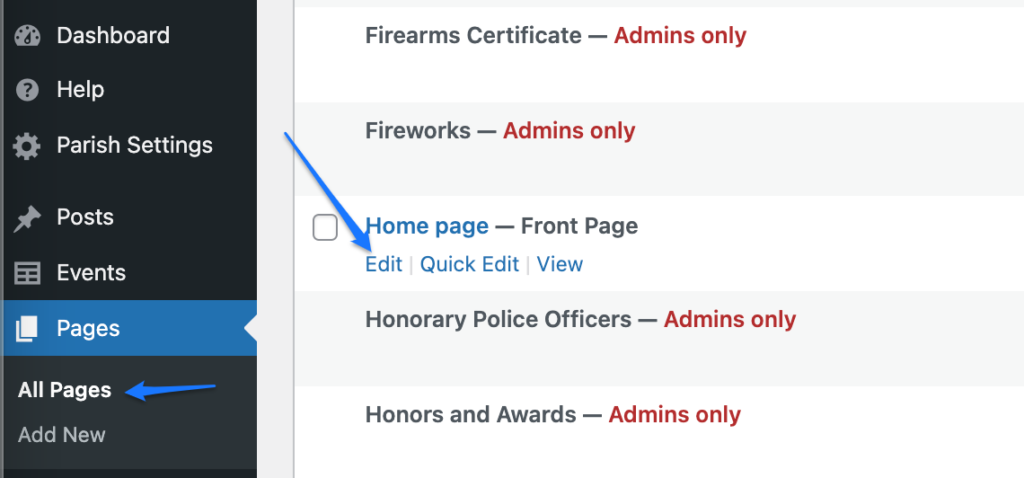
- Login to Parish website and navigate to Pages > All Pages.
- Hover over the Home page and click ‘Edit’. This will open the home page editor.
3. Scroll to the tiles section you want to update (Quick Links or Popular Pages).
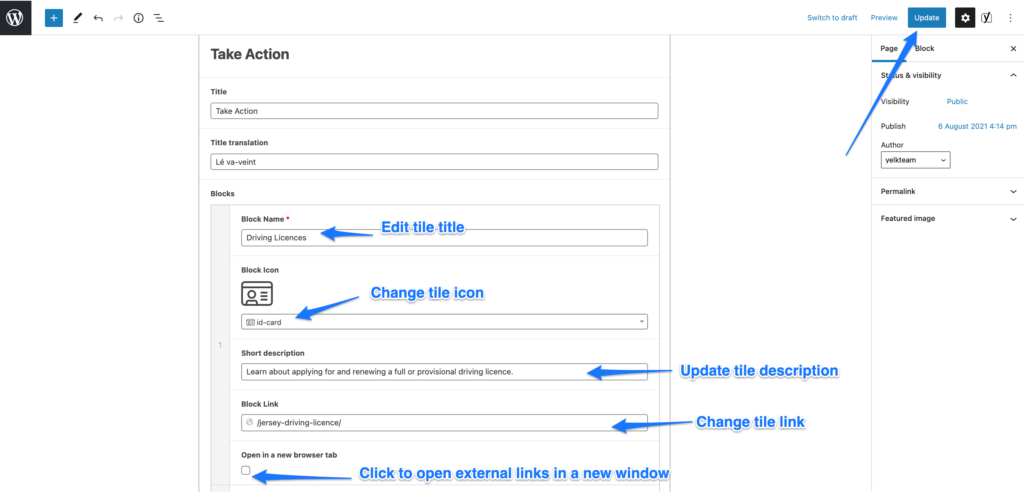
4. Find the block you want to update and update it’s content.
- Update tile title
- Change tile icon
- Update tile’s short description
- Change tile link
- Note! All links to external websites should open in a new window.
5. Click on Update to save the changes.
6. To reorder the tiles you can click on the arrow to toggle, and simply drag and drop each tile.


7. Click on Update to save the changes.