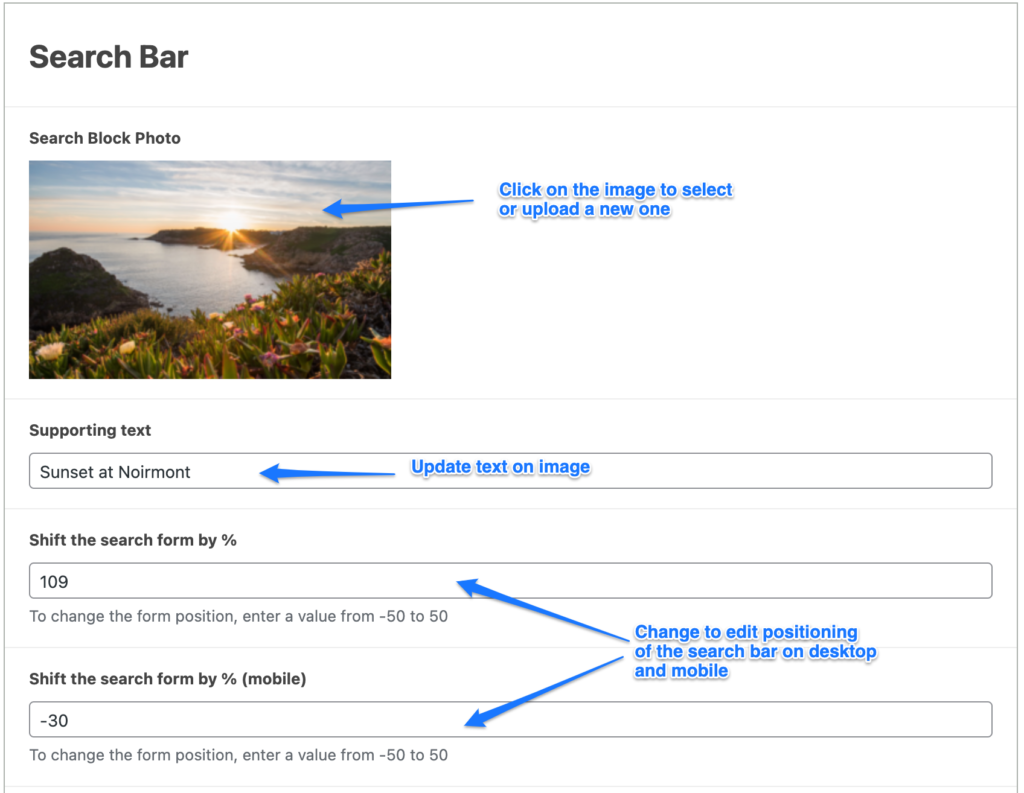
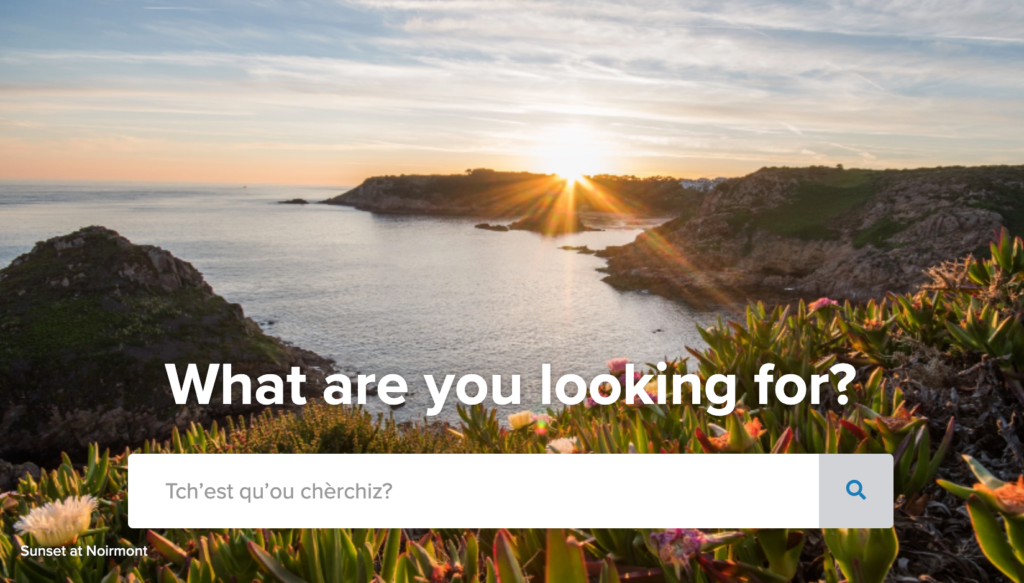
Follow the steps below to edit the search background section of the home page. Example:
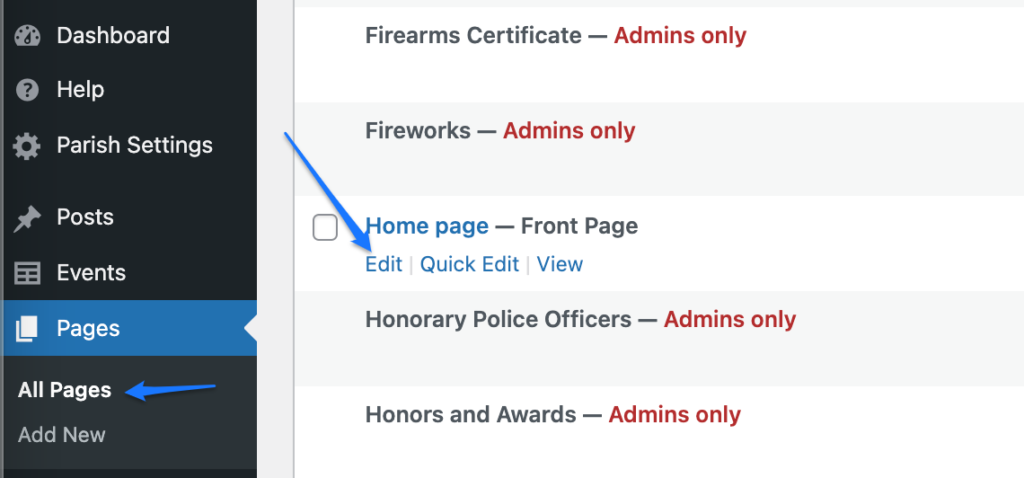
- Login to Parish website and navigate to Pages > All Pages.
- Hover over the Home page and click ‘Edit’. This will open the home page editor.
3. Click on the image to select or upload a new one.
- Note! Image for this section is with dimensions: 828 pixels width by 500 pixels height.
4. Update the text that is appearing on the image.
5. You can control the position of the search bar over the image, separately on Desktop view and Mobile view, by changing the number under “Shift the search form by %”.
6. Click on Update to save the changes.