This action can only be made by members of the Comite or Blue Llama.
Follow the steps below to copy or update content from the Comite website to the parish websites.
Note! Updating content will overwrite the content currently on the corresponding websites. Please be careful.
- Login to Comite website.
- Open to edit the page / post / useful link or any other piece of content that you want to copy to one, more or all parishes websites
- If you have made changes to the content, make sure to click on Update to save them first.
- If it is a new piece of content, you need to Publish it first.
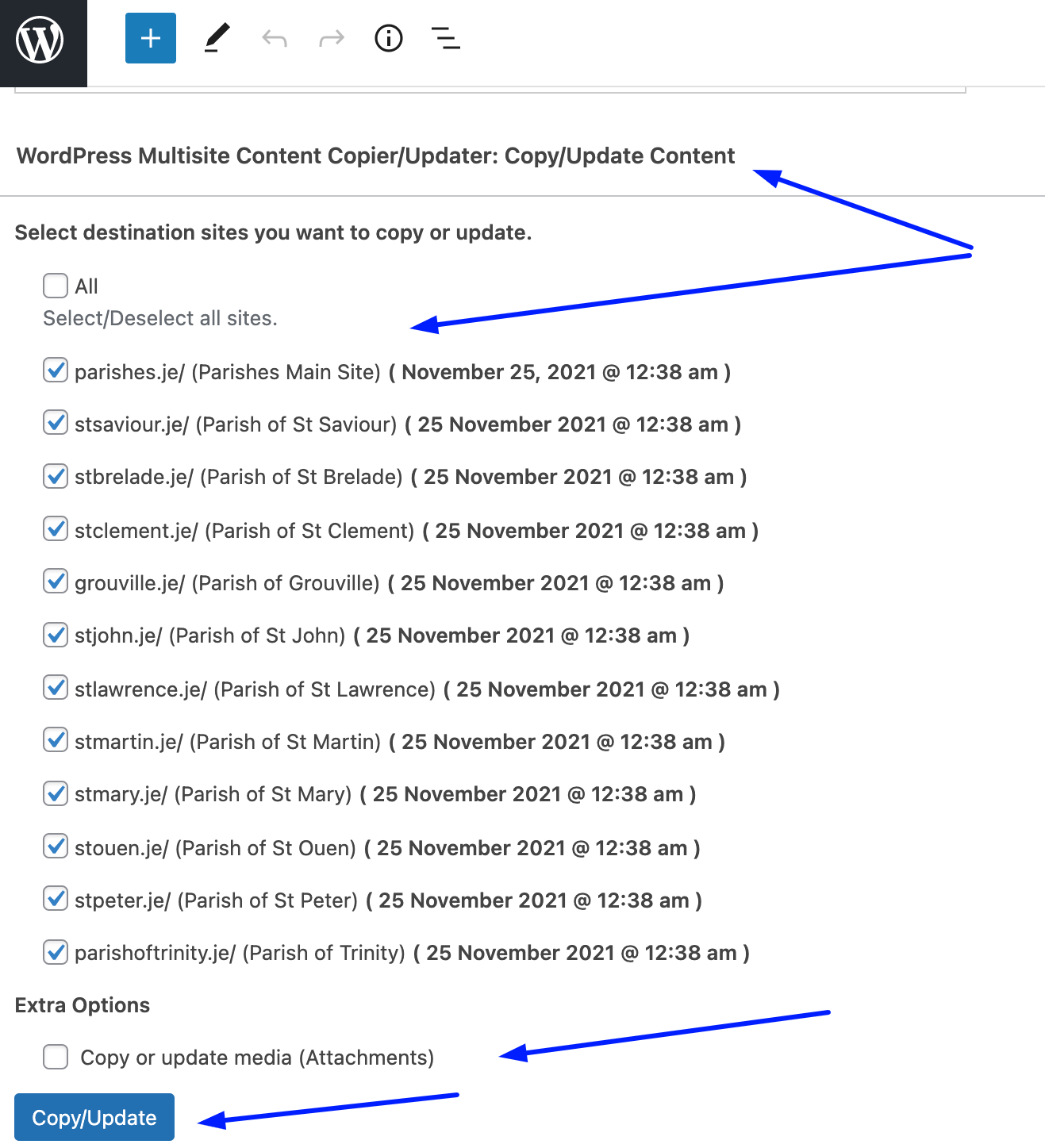
- Scroll down to WordPress Multisite Content Copier/Updater section, as shown on the screenshot below.
- Check the dates the pages were last updated. If there are dates which are different you may want to check that there is not different versions of the page.
- Select the destination websites you want to copy or update content to.
- It is recommended to not click on the Copy or update media (Attachments) as this will copy any attachments (such as PDFs) to each site and therefore there will be multiple copies. It is best to have one central copy on the comite.je site that each website references.
- Click the Copy/Update button.
- Check the destination websites to confirm the content was copied or updated successfully.
- Refresh the page and it should show the new date that the page was updated on against each of the parish sites.