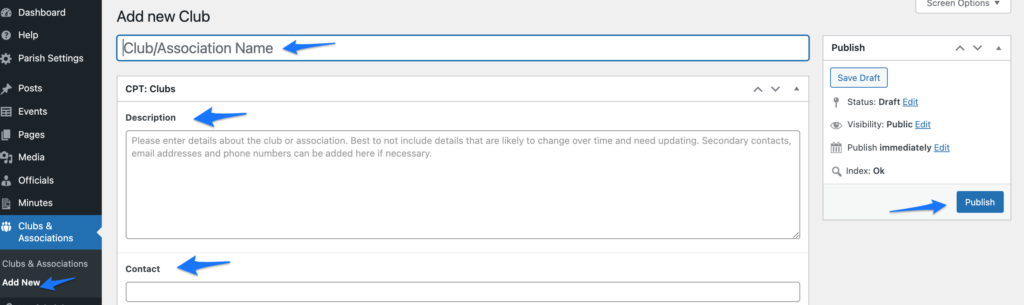
- Login to Parish website and navigate to Clubs and Associations > Add new.
- Add details of the club or association:
- Name
- Short description
- Contact name
- Contact details – phone, email, address
- Links to their website and social media (Note! When adding links they have to start with https:// – for example: https://parish.gov.je
- Publish the new club or association.
- Open the Clubs & Associations page and check the details are displaying correctly and the links are opening fine.