
- Login to Parish website and navigate to Places of Worship.
- Hover over the place that you want to update and click on Edit.

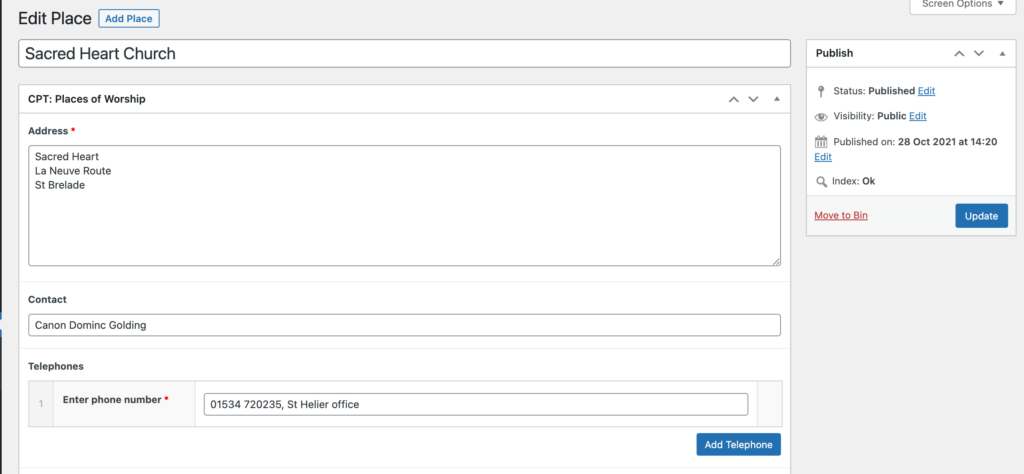
3. Edit place’s name, address and contact details. There’s an option to add more phone numbers.
4. Add or update email, website link, social media links.
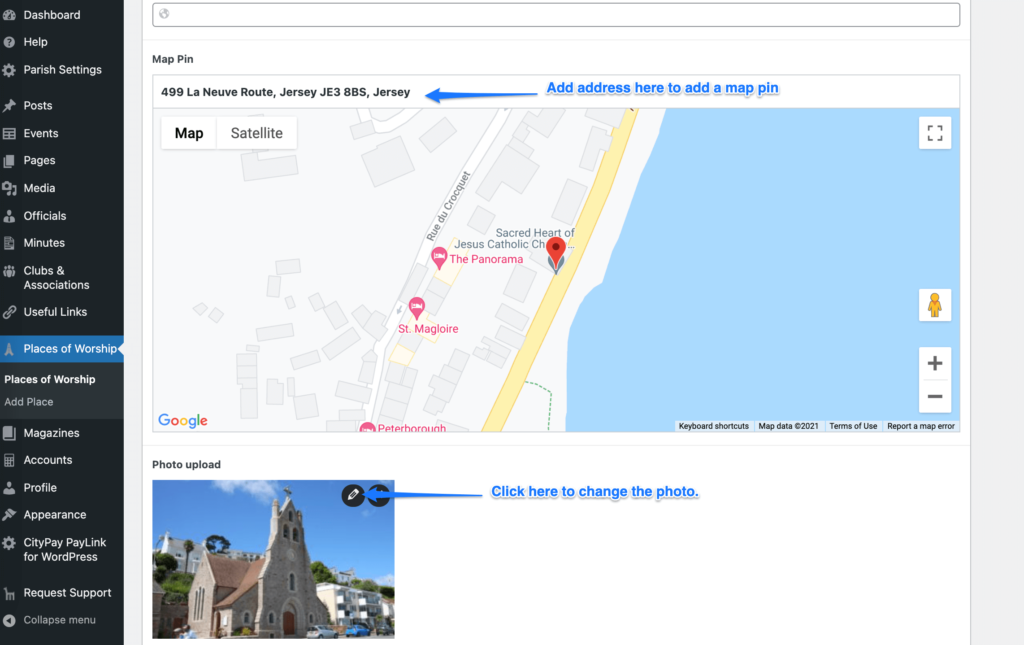
5. Edit “Map pin” address to update the map.
6. Click on the image to select or upload a new one.
7. Click Update to save the changes.
8. You can use the same steps to add a new Place of Worship. You just need to navigate to Places of Worship and select “Add new”